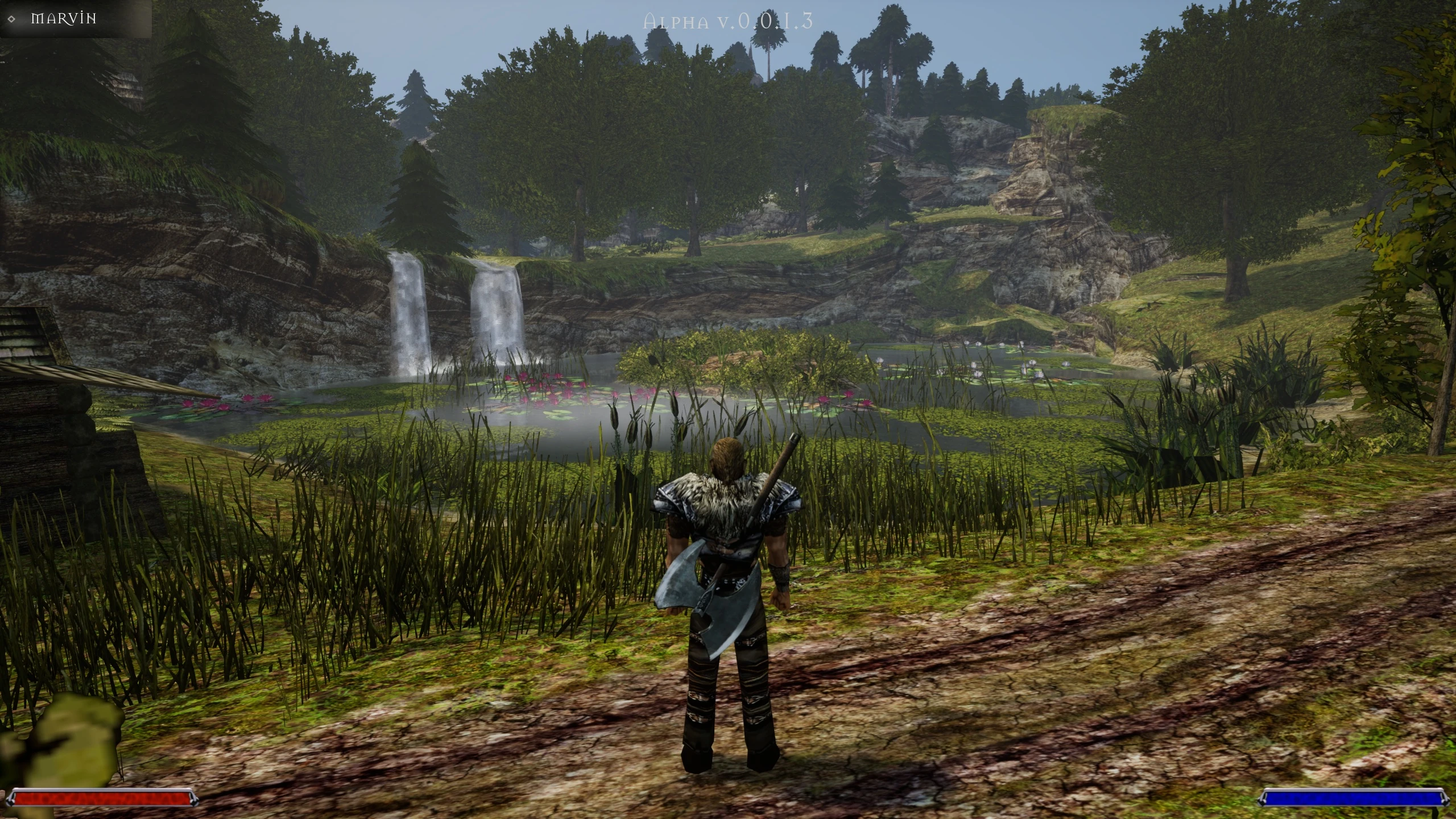

Gothic VR is an initiative aimed at allowing players to experience the world of Gothic in virtual reality. Initially, the VR mode was being implemented in Unity , but two years ago the team switched to Unreal Engine 5. Development has accelerated significantly in recent months, following the arrival of Dmitri Kaluznyj, the creator of the remaster . This became possible thanks to fans of the initiative raising $2,000, allowing the remaster’s creator to devote himself fully to adding VR support.
The long effort has paid off, and Gothic VR has just been released on Steam! In this article, you’ll learn how to install it, what the virtual reality mode has to offer, and what the team has planned for the future.
Table of Contents
Trailer
Installation Guide
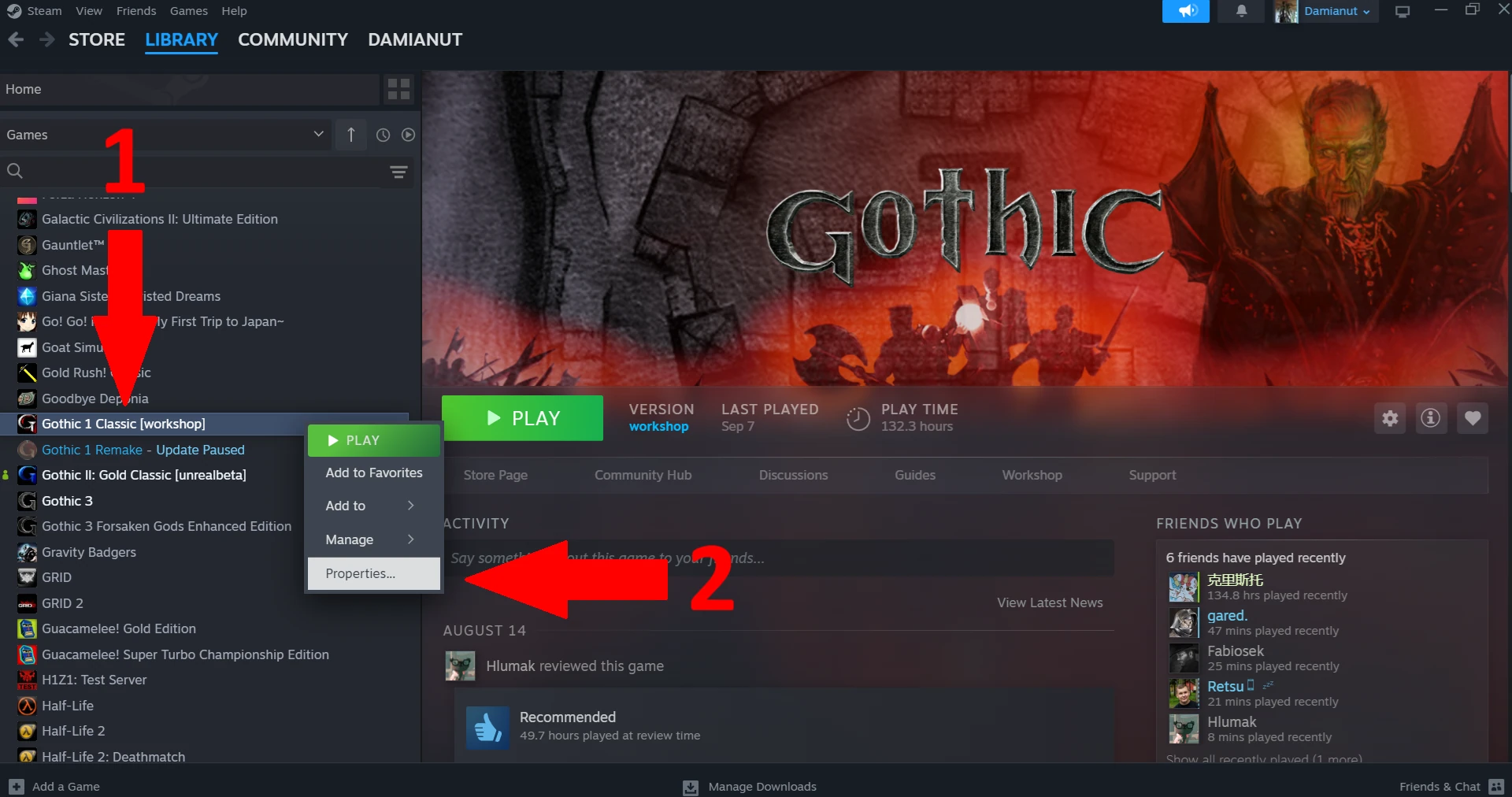
- Open your game library in the Steam client.
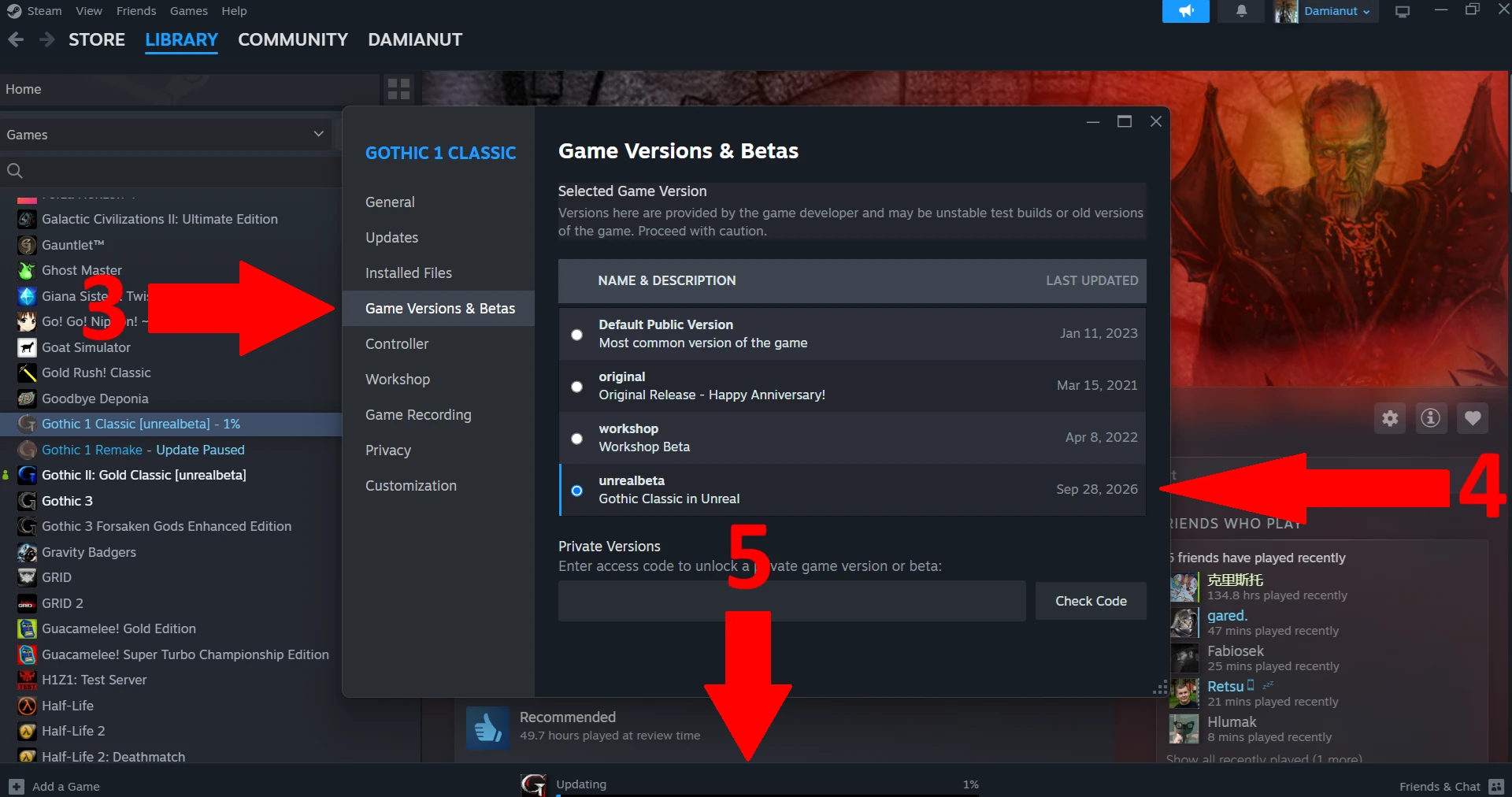
- Right-click on Gothic 1 Classic (pt 1), then click the Properties… button (pt 2).
- Open the Game Versions & Betas tab (pt 3) and select the unrealbeta option (pt 4). A download bar will appear at the bottom of the client (pt 5).
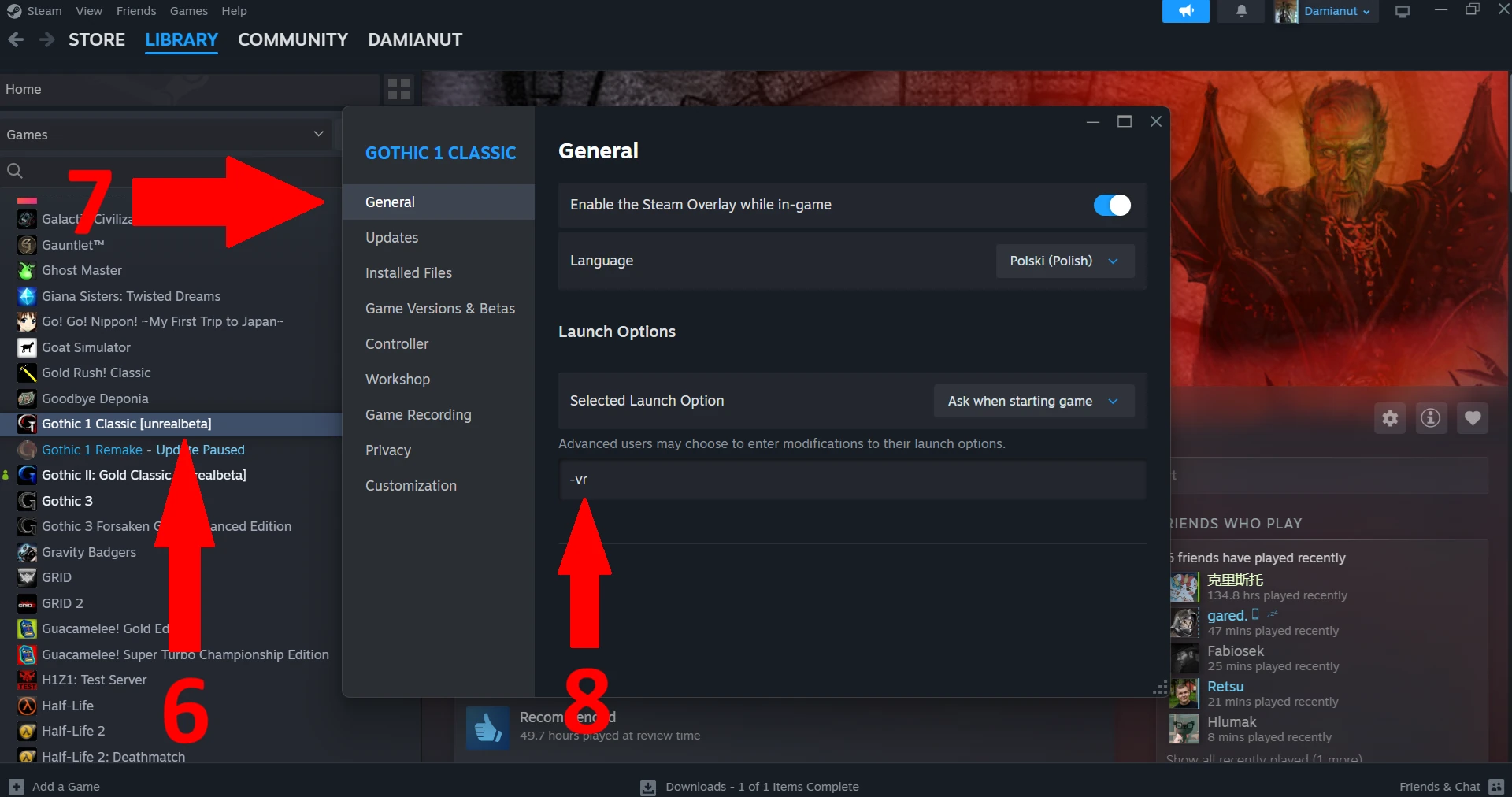
- Once the download is complete and the [unrealbeta] label appears next to the game’s name on the right (pt 6), go to the General tab (pt 7).
- Under Launch Options, enter:
-vr(pt 8). - Connect your VR headset to your computer and launch Gothic 1 Classic!
If everything has been configured correctly, the game will launch in VR mode.
Controls
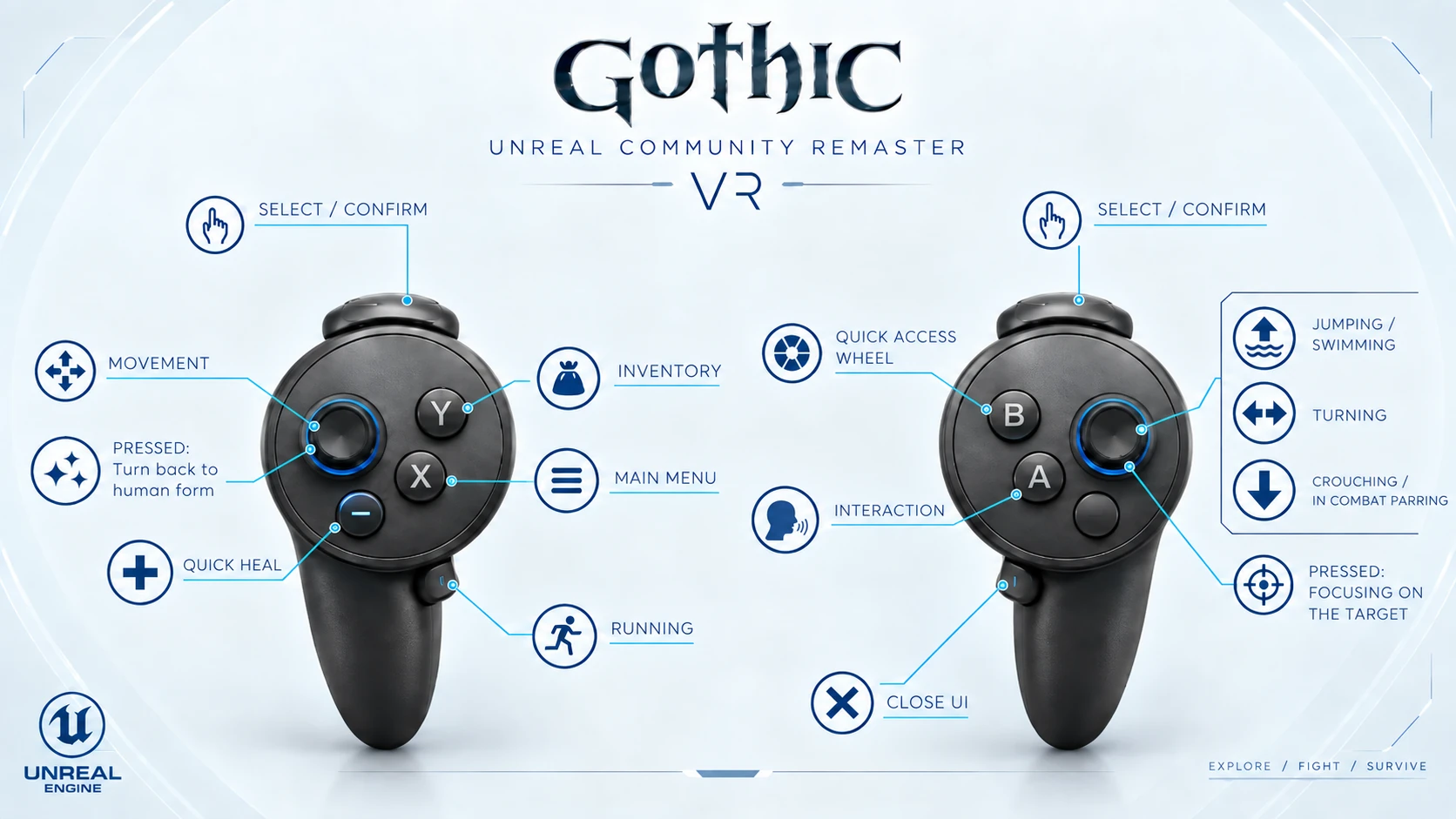
The creators of Gothic VR have published an overview of the controls on their YouTube channel. They also prepared a complete overview of the controls in a one graphic. Thanks to that you can easily refer back to it whenever you need to.
What Does Gothic VR Offer?
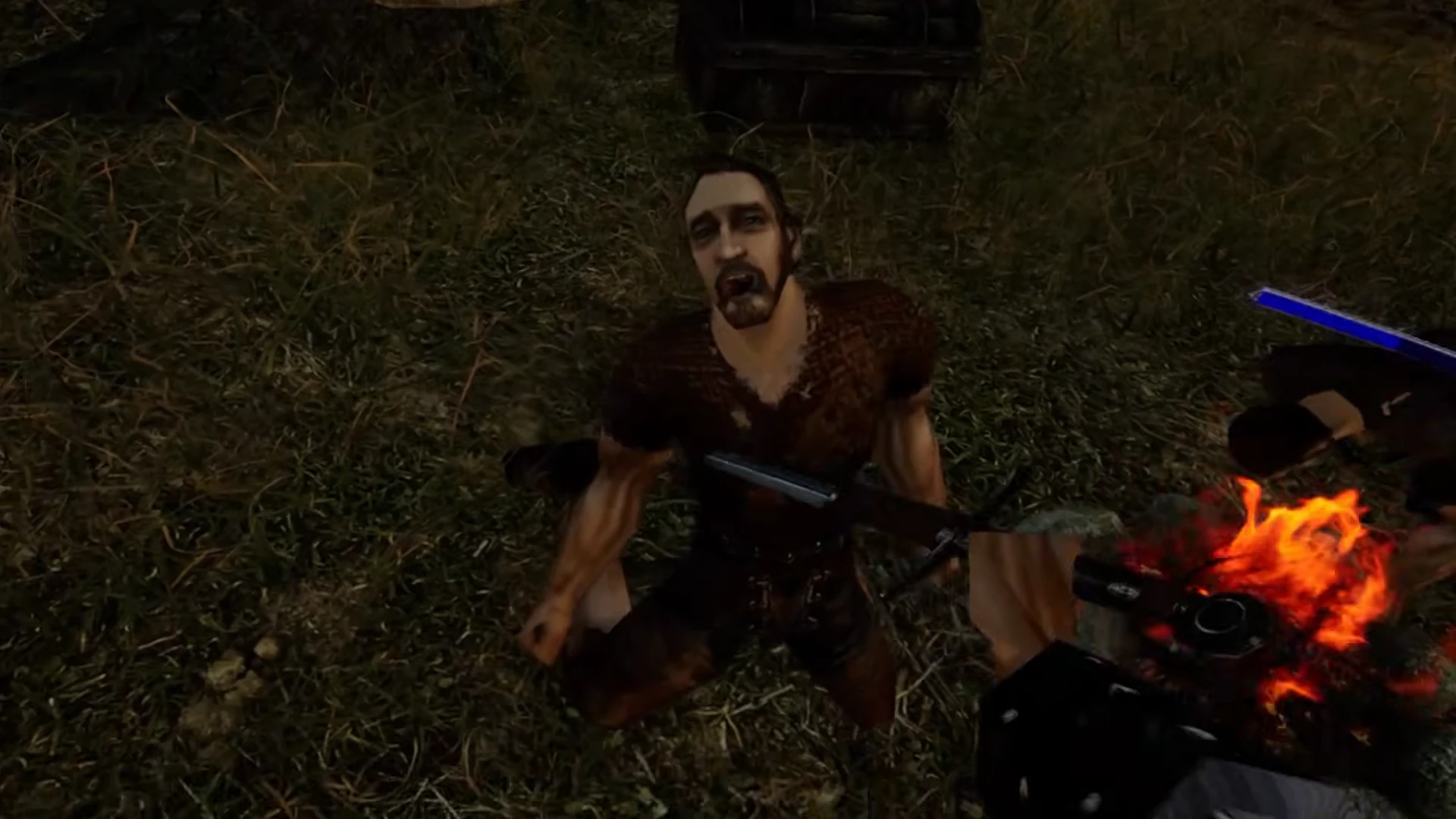
As I learned during a conversation with the project’s coordinator, the primary goal of Gothic VR is to make it possible to complete the entire game in virtual reality. This means that all the key elements, as well as most of the minor aspects of the VR experience, are already in place, including dialogue, combat, and more. One special case is fist combat, which has not yet been implemented and must take a back seat to higher-priority features for now.
Combat is practical and follows a style more typical of video games. You can select a weapon and use it to attack, but the weapon itself is not a physical object. Crafting works in a similar way. For example, cooking meat simply involves playing the appropriate animation.
Smithing, in turn, opens a dedicated smithing interface, allowing you to carry out the relevant action. Sometimes, you can act out a scene for fun – for example, by holding a hammer and striking a piece of metal – but this has no connection to the actual game mechanics.
In the near future, the creators will tell us more about the philosophy behind the Gothic VR project and its planned features. Further videos have been announced.
Troubleshooting
If you encounter any configuration issues, the best option is to contact the creators on their dedicated Discord server . As it happens, one of our editors, Retsu, owns a VR headset and was therefore able to carry out some tests. He used a Meta Quest 2 headset connected via SteamVR.
He managed to launch the game itself, and the familiar laser pointers used in VR games were visible, but almost none of the buttons worked. According to other users and the developers themselves, this problem does not occur when connecting the headset via Virtual Desktop with the VDXR setting enabled. The project team is working on a solution. If you’d like to help, you can volunteer to test the SteamVR setup on the Discord server linked above.